The trading journal that lives on your chart.
A Chrome extension for TradingView. Import your Tradovate orders, read your month at a glance, review your week, and keep private notes behind a PIN.
One-time payment. No subscription. Your data stays in your own browser. Numbers shown are sample data.
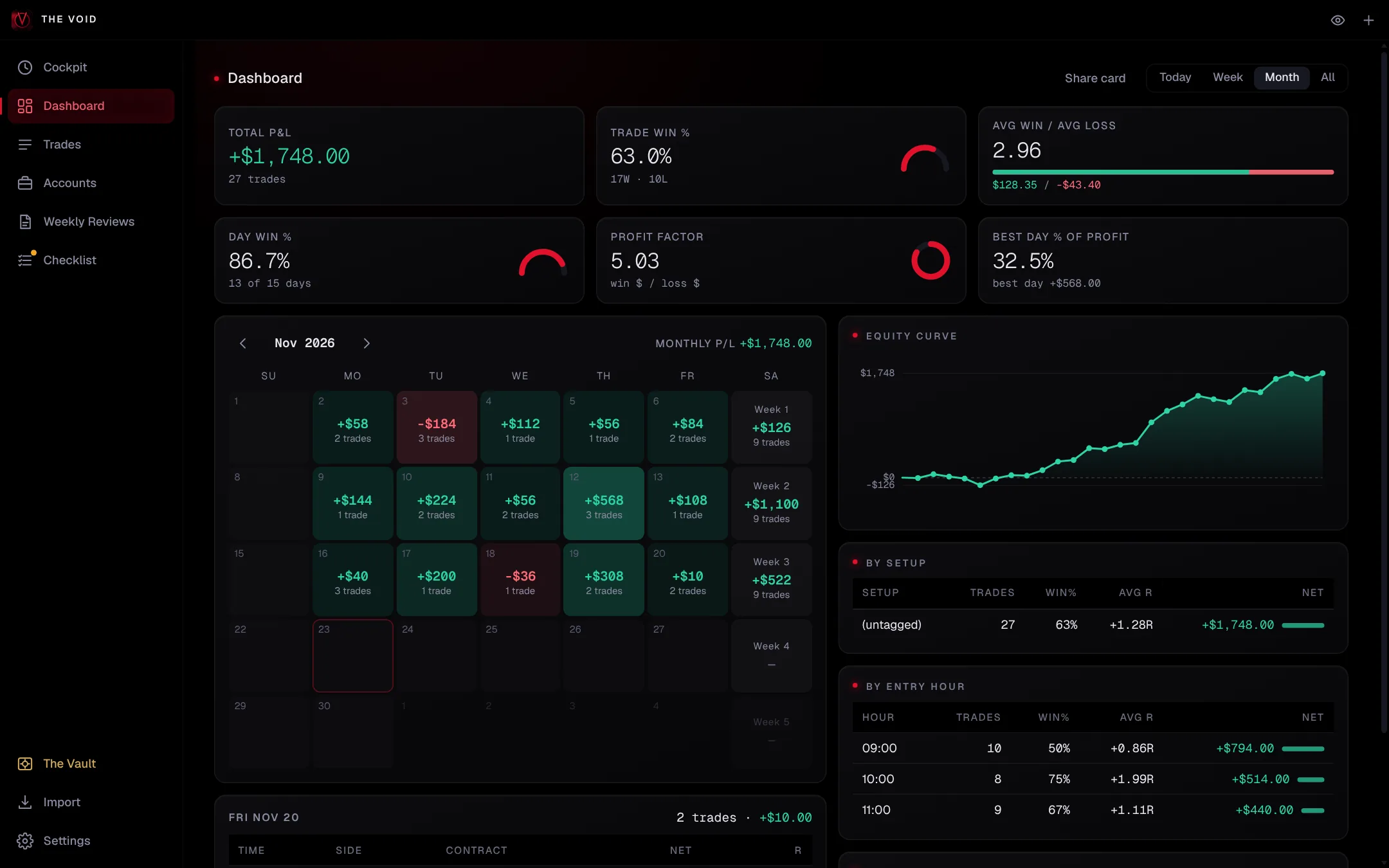
Your whole month on one screen.
Sample data
- 1 of 3
The numbers
Net P&L, win rate, profit factor and average R. They rebuild every time you import.
- 2 of 3
Your month
Every trading day is a tile, colored by how the day ended.
- 3 of 3
Your curve
The equity curve of your account, so a drawdown never sneaks up on you.
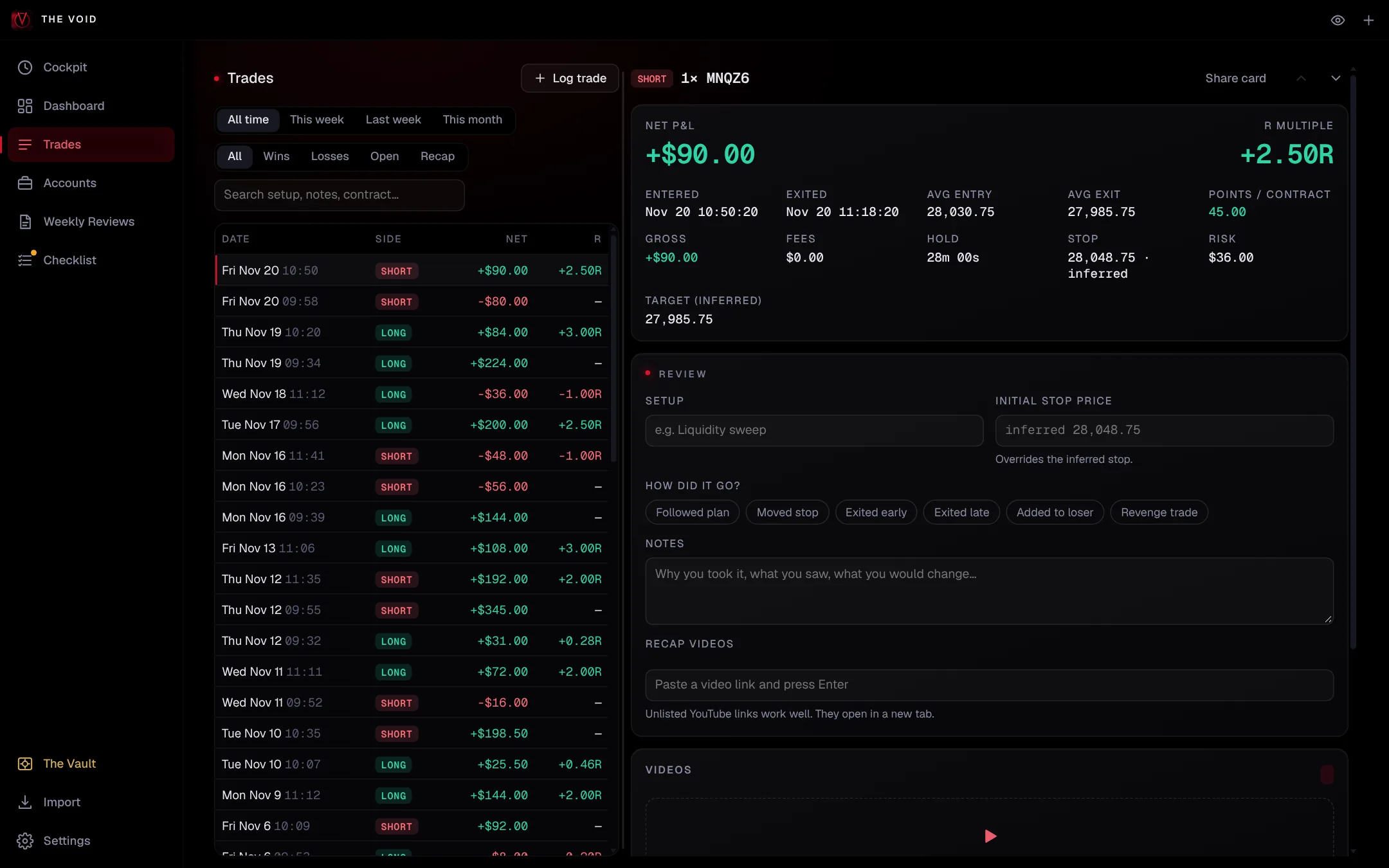
Every trade, with the numbers you actually review.
- Import Tradovate order CSVs. Entries and exits are paired into trades for you.
- Stop, risk and R multiple are worked out from your orders, and you can override them.
- Tag the setup and how it went, then write notes while it is fresh.
- Attach a recap video to a trade, or link one.
Click around before you buy.
The live demo is a replica running on sample data. Open a day, open a trade, switch between Today, Week and Month.
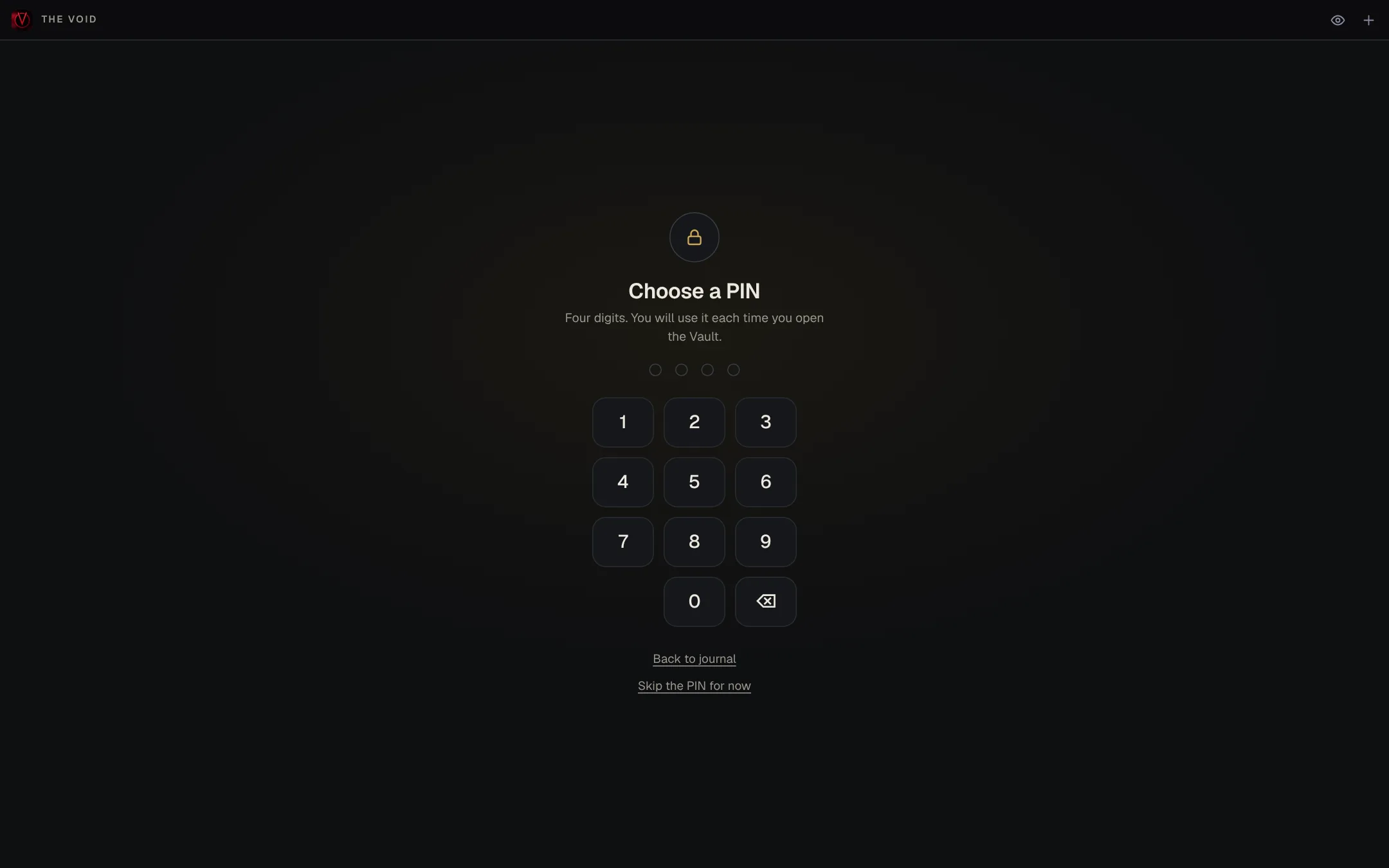
A private room next to your journal.
- The Vault opens on a four-digit PIN and shows nothing from your journal.
- Folders you can drag into any order.
- Notes that take pasted screenshots, plus links and videos with timestamped notes.
- Its own storage and its own backup, separate from your trade data.
The rest of the desk.
- Cockpit
- A big session clock with your trading windows, today's result, daily limits and a quick mood check-in.
- Weekly reviews
- Write the review, set one rule for next week, and watch your streak.
- Checklist
- A pre-trade checklist you tick through before you click.
- Share cards
- Turn a trade, a day, a week or a month into a clean image to post.
- Accounts
- Track several accounts side by side, each with its own results.
- Backups
- Save your journal to a folder on your computer and restore it any time.
How to get it.
- Join the DiscordRead the rules and accept the agreement.
- Pay $15Use the payment link in the server. It is a one-time payment.
- Get your roleClaim your access on the payment page so your Discord account is linked and your Buyer role is added.
- Set it upDownload the extension from the Buyer channel and follow the setup guide.
Enter your Discord account when Whop asks, so your role is added automatically.
Questions.
Does it place trades or give signals?
No. It is a journal. It reads the order files you import and helps you review them. It never connects to your broker.
Which brokers does it import from?
Tradovate order exports work today. Other formats are not supported yet.
Where is my data stored?
In your own browser. The creator does not receive your trades. You can back up to a folder on your computer.
Is it affiliated with TradingView or Tradovate?
No. The Void is an independent tool and is not made, endorsed or supported by TradingView, Tradovate or any prop firm.
What about refunds?
Refunds are handled case by case. Message the creator in the Discord before you open a dispute with your bank.
Can I share my copy?
One purchase is for one person. Please do not resell or share the download.